
Are you trying to make gridlines invisible in your Excel worksheet? Do you want to delete gridlines? If so, read our quick Excel tutorial to discover how to do it!
Gridlines are useful when you want to distinguish cells in your Excel worksheet but can be overwhelming when looking at some data. Also, we recommend deleting gridlines in Excel before sharing your spreadsheet with colleagues or customers: you’ll look more professional.
Ready to learn how to remove the grid view in Excel?
3 solutions to remove gridlines in Excel
There are various ways to delete gridlines in Excel: via the Page Layout tab, the View tab or by pressing Command + , then clicking View.
How to make gridlines invisible — Page Layout
To delete gridlines in Excel, go to Page Layout then untick View under Gridlines.

Curious to know how we rotated rows to columns?
Remove gridlines in Excel — View
Make gridlines invisible by clicking View then unticking Gridlines.
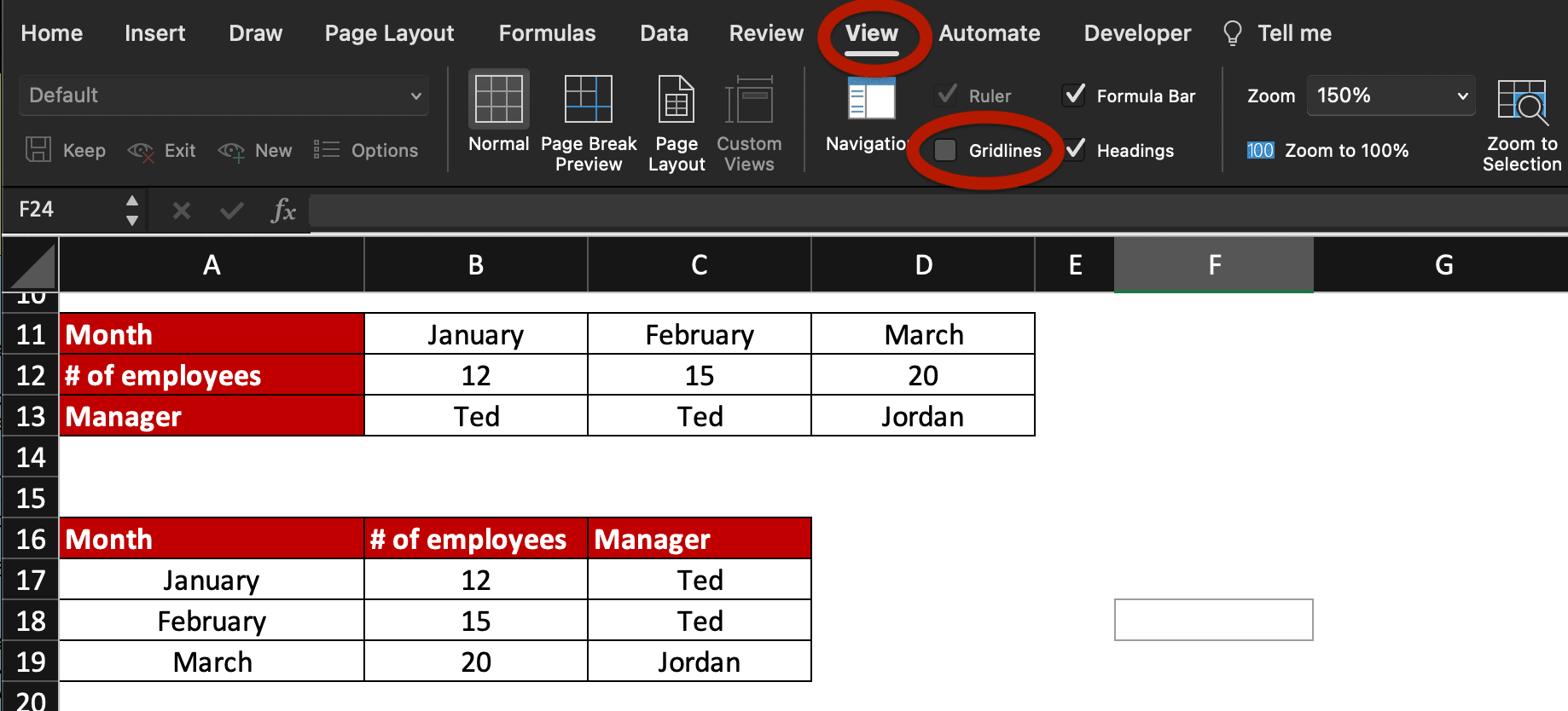
Shortcut to remove gridlines — Command , then View
Make the grid view invisible by changing the gridlines colour or by unselecting Gridlines. use the shortcut Cmd , then click View and untick Gridlines.
We show you where is the option in a 10-second-video below!
How to change gridlines colour?
If you don’t want to delete gridlines but just want to change gridlines’ colour, follow these quick steps:
- Press Command then ,
- Click View
- Then replace the automatic colour next to Gridlines
You can also untick Gridlines there to remove the grid view in your Excel worksheet.
Gridlines View shortcut
There is no shortcut on Mac to enable or disable Gridlines in Excel but you can create one!
Go to Tools > Customise Keyboard… > Page Layout Tab > Grid then press the shortcut key you want to use.
If you need help to create your own Excel shortcut, click the link.
Now, you know how to modify the gridlines colour in Excel and how to remove gridlines on worksheets. What do you want to learn next?
How to use IFNA? How to convert text to date? Or maybe what’s the difference between HLOOKUP and VLOOKUP?
New to Excel or Google Sheets? Join this Spreadsheets Course for beginners now and receive your first certification!