
Excel IF statement: how to use it for 3 conditions
Learn how to use the Excel IF statement with multiple conditions and combine it with OR and/or AND functions!

47 article(s)
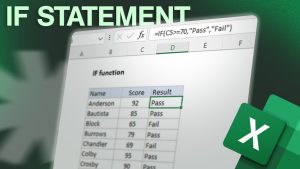
Learn how to use the Excel IF statement with multiple conditions and combine it with OR and/or AND functions!

Learn how to use the Excel Exclusive OR function in your spreadsheets: XOR.

Copy and paste values (not formulas) using shortcut keys in Excel or Google Sheets! Learn how spreadsheets professionals do it...

Learn how to move between Excel cells without using your mouse or arrow keys. Discover more shortcuts and tricks below!

Discover a simple method to add slicers in Excel to your tables. Watch our short video or read our tutorial...

Learn how to stretch, readjust or enlarge columns and rows in your MS Excel worksheet!

Learn how to use dynamic values in text in your Excel spreadsheets. Mix text and functions within cells easily and...

Learn how to extract text in Excel with the LEFT, RIGHT and MID functions. Plenty of examples to learn from...

Learn how to add, customise and use calculated fields in Excel or Google. Discover how to change fields names or...

Excel shortcuts help you become more efficient when you want to select cells, for example. No more scrolling while working...